
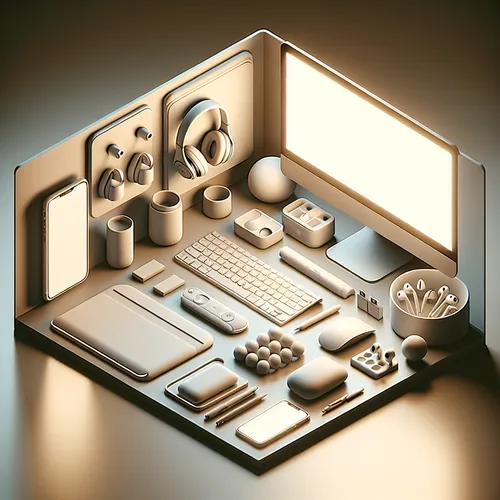
Best Tech Accessories for Productivity in 2025
Maximizing productivity often depends on having the right tech accessories. Whether you work from home, a cafe, or an office, the right gadgets can enhance your efficiency, comfort, and workflow. This guide covers the best tech accessories for productivity in 2025, explaining their benefits and how to integrate them into your setup.
Prerequisites
- A computer or laptop (Windows, macOS, or Linux)
- Stable internet connection
- Basic familiarity with connecting Bluetooth or USB devices
Top Tech Accessories to Boost Productivity
1. Ergonomic Wireless Keyboard and Mouse
An ergonomic keyboard and mouse reduce strain and help maintain comfortable posture during long work sessions. Wireless models free you from cable clutter, adding convenience and flexibility. Brands like Logitech and Microsoft offer excellent ergonomic models.
2. Portable External Monitor
Expanding your screen real estate is crucial for multitasking. A portable monitor that connects via USB-C or HDMI can easily slide into your bag and plug into your laptop. This lets you manage multiple apps, documents, and browser tabs simultaneously.
3. Noise-Cancelling Wireless Earbuds or Headphones
Focus is key when working amid distractions. High-quality noise-cancelling wireless earbuds, such as the Sony WH-1000XM series (Official site), can enhance concentration by blocking out ambient noise. They also allow hands-free calls and voice assistant support.
4. Multi-Port USB Hub
Modern laptops often have limited ports. A multi-port USB hub expands connectivity options by adding USB-A, USB-C, HDMI, and SD card slots. This is especially helpful for connecting external drives, monitors, and other peripherals simultaneously.
5. Smart Desk Organizer and Wireless Charger
A smart desk organizer with integrated wireless charging pads keeps your desk tidy and ensures your phone and earbuds stay energized throughout the day. Some models also include cable management and pen holders to streamline your workspace.
Setting Up Your Productivity Accessories
- Connect the Wireless Keyboard and Mouse: Pair via Bluetooth or use the USB dongle provided. Adjust keyboard tilt and mouse settings for ergonomic comfort.
- Attach the Portable Monitor: Connect using USB-C or HDMI. Configure your display settings for extended desktop mode or mirroring.
- Pair Your Noise-Cancelling Earbuds: Enable Bluetooth on your device and follow the manufacturer’s pairing instructions.
- Use the USB Hub: Plug the hub into your laptop’s USB port and connect all required peripherals to expand functionality.
- Organize and Charge: Arrange your desk organizer and place compatible devices on the wireless charger.
Troubleshooting Tips
- If your wireless devices fail to connect, check battery levels and restart Bluetooth on your computer.
- For external monitors not displaying, verify cable connections and ensure input source settings are correct on the monitor.
- If USB devices are not recognized, try reconnecting the USB hub or updating your device drivers.
- Ensure your wireless charger is connected to a power source and compatible with your devices.
Summary Checklist
- Ergonomic wireless keyboard and mouse set up
- Portable external monitor connected and configured
- Noise-cancelling wireless earbuds paired
- USB hub connected with peripherals attached
- Smart desk organizer arranged with wireless charging active
Integrating these tech accessories into your daily work routine can streamline tasks, reduce physical strain, and facilitate a more productive environment. For related guides on enhancing your tech workspace, check out our detailed tutorial on top productivity apps for tech professionals.
Equip yourself with the best tools and transform your workspace into a productivity powerhouse in 2025 and beyond!
About the Author














