
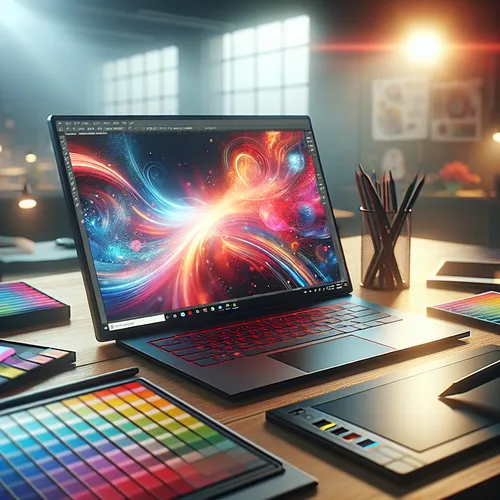
Best Laptops for Graphic Designers in 2025: Ultimate Buying Guide
Graphic designers demand laptops that combine performance, color accuracy, and portability to fuel their creative visions. In this comprehensive guide, we explore the top laptops for graphic designers in 2025, highlighting key specifications and features you should consider before investing. Whether you’re a freelance artist, a design student, or part of a professional creative team, the right laptop can elevate your productivity and output quality.
Prerequisites: What to Look for in a Graphic Design Laptop
Before diving into specific models, understanding the core criteria to select a laptop suited for graphic design is critical. Keep these prerequisites in mind:
- Display Quality: A high-resolution screen (at least 1920×1080, preferably 4K) with wide color gamut support (Adobe RGB or DCI-P3) is essential for color-accurate design work.
- Processor (CPU): Fast multi-core processors (Intel Core i7/i9, AMD Ryzen 7/9, or Apple M-series) ensure smooth multitasking and rendering.
- Graphics Card (GPU): Dedicated GPUs, such as NVIDIA RTX series or AMD Radeon, are beneficial for vector rendering, 3D modeling, and video editing.
- RAM: Minimum 16GB, but 32GB or more is ideal for handling large files and multitasking seamlessly.
- Storage: Fast SSD storage (512GB minimum, 1TB or higher recommended) accelerates file access and software loading times.
- Portability & Battery Life: Lightweight laptops with long battery life enable designers to work anywhere without interruption.
- Connectivity: Ample USB-C/Thunderbolt ports and SD card readers enhance workflow efficiency.
Step-by-Step Selection: Choosing Your Ideal Laptop
- Assess Your Software Needs: Identify the design tools you use (e.g., best free AI image generators, Adobe Creative Suite, CorelDRAW) and check their hardware demands.
- Set a Budget: Graphic design laptops range widely in price. Define your budget realistically to narrow choices without compromising essentials.
- Choose the Operating System: macOS has exclusive benefits for creative professionals, but Windows laptops offer broader hardware variety and often better value.
- Compare Displays: Visit stores or review online tests focusing on color accuracy, brightness, and matte vs. glossy finishes.
- Evaluate Performance Specs: Prioritize processor and RAM for multitasking and speed; consider GPU necessity based on your 3D or video work intensity.
- Check Port Selection: Ensure the laptop includes ports compatible with your peripherals without always needing adapters.
- Read Reviews and Expert Opinions: Trusted reviews reveal real-world performance and potential issues.
Top Laptops for Graphic Designers in 2025
Here are some leading models that meet the demanding criteria of graphic professionals this year:
- Apple MacBook Pro 16-inch (M2 Max): Renowned for its brilliant Retina display, massive RAM and storage options, and industry-leading color accuracy. Ideal for macOS users heavily invested in Adobe Photoshop and Illustrator.
- Dell XPS 15 & 17: Windows powerhouse laptops with UHD+ OLED displays, strong Intel i7/i9 options, and high-end NVIDIA RTX graphics. Excellent for a balance between performance and portability.
- Microsoft Surface Laptop Studio: Offers versatile form factors, touchscreen and pen support, and vibrant displays. A good pick for creatives who sketch or design interactively.
- ASUS ProArt Studiobook 16: Built specifically for creative workloads with Pantone validated displays and powerful AMD Ryzen 9/Intel Core i9 with RTX 3070 Ti GPU for demanding 3D and video editing tasks.
- Lenovo ThinkPad X1 Extreme Gen 5: Combines business compatibility with multimedia capabilities, 4K OLED options, and solid build quality for designers who need reliable performance on the go.
Troubleshooting Common Issues
- Color Calibration Issues: Use hardware calibrators or built-in calibration tools to maintain display accuracy.
- Performance Lag: Close unnecessary apps, upgrade RAM if possible, and keep your system free of malware.
- Overheating: Work on hard surfaces, consider external cooling pads, and keep vents clean.
- Port Incompatibility: Invest in quality hubs or docking stations supporting your workflow peripherals.
Summary Checklist: What to Ensure Before You Buy
- Display supports wide color gamut and high resolution.
- Processor and RAM match your creative software requirements.
- Fast SSD storage with sufficient capacity.
- Dedicated GPU if your tasks demand it.
- Lightweight design and strong battery life for portability.
- Good port selection for external devices.
- Positive expert and user reviews.
For more tips on creative tools and software enhancements, check our guide on the best free AI image generators for designers in 2025. Equip yourself with the right hardware and software to keep your graphic design projects on the cutting edge in 2025.
About the Author














