
How to Build an AI-Powered Virtual Try-On Tool for E-Commerce
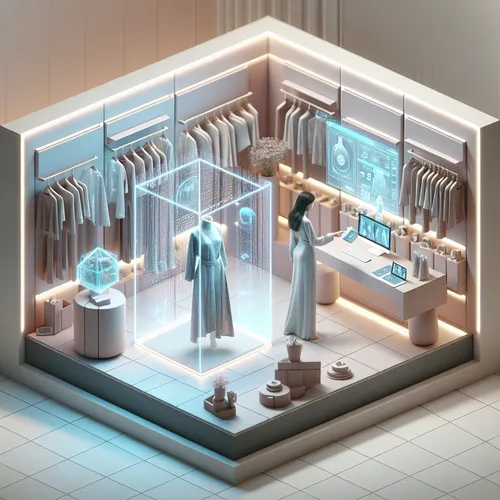
In this tutorial, you will learn how to build an AI-powered virtual try-on tool designed for e-commerce platforms. This cutting-edge application allows online shoppers to visualize apparel on their own likeness through augmented reality and AI, elevating customer engagement and reducing returns.
Prerequisites
- Basic knowledge of JavaScript and Python programming.
- Familiarity with machine learning concepts and frameworks like TensorFlow or PyTorch.
- Experience with web development, including React or Vue.js for frontend.
- Access to a webcam-enabled device for testing AR functionalities.
- Understanding of REST APIs and server deployment.
Step 1: Gather and Prepare Data
You need a dataset of apparel images and human pose data to train your AI model. Public datasets for pose estimation such as OpenPose can be used to identify body landmarks in images or video frames.
Step 2: Develop the Body Pose Estimation Module
Implement a pose estimation model with a framework like TensorFlow.js or OpenPose. This model analyzes the user’s input from a webcam image to detect keypoints of the body such as shoulders, elbows, and knees.
Example: Using TensorFlow.js PoseNet
import * as posenet from '@tensorflow-models/posenet';

async function estimatePose(videoElement) {
  const net = await posenet.load();
  const pose = await net.estimateSinglePose(videoElement);
  return pose;
}
Step 3: Match Apparel Images to Pose Landmarks
Create overlays that map clothing images to the detected body landmarks. Transform the apparel image based on the pose keypoints to fit naturally onto the user’s form.
Step 4: Build the Frontend Interface
Use React or Vue.js to build a responsive UI for the virtual try-on. This interface should activate the user’s webcam, display the live video feed, and overlay the adjusted apparel images dynamically.
Step 5: Optimize Performance and Accuracy
Optimize the model’s performance to ensure low latency and smooth interaction. Consider enabling WebGL acceleration and simplifying model complexity for better speed.
Troubleshooting Tips
- Pose estimation flickering: Use smoothing algorithms on pose keypoints to reduce jitter.
- Overlay misalignment: Calibrate the scale and rotation parameters for apparel overlays.
- Latency issues: Compress models and limit video frame resolution if necessary.
Summary Checklist
- Setup the environment with required ML libraries.
- Obtain and preprocess pose and apparel image datasets.
- Implement pose estimation with TensorFlow.js or similar.
- Develop mapping logic for apparel alignment.
- Create an interactive frontend interface.
- Test and optimize for latency and accuracy.
- Deploy the application and gather user feedback.
This tutorial builds on AI techniques integrating with e-commerce, complementing our previous guide on Best AI Tools for E-Commerce 2025 which details impactful tools for online retail optimization.
About the Author










