
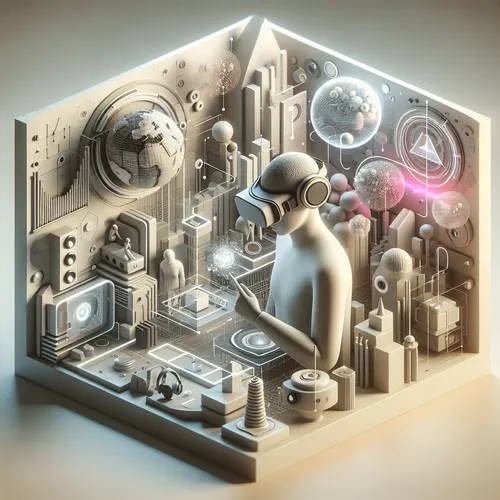
Getting Started with AI-Powered Virtual Reality (VR) Experiences
Virtual Reality (VR) combined with Artificial Intelligence (AI) offers exciting possibilities for creating immersive and interactive digital experiences. This tutorial will guide you through the essentials of building AI-powered VR environments, ideal for developers, enthusiasts, and tech hobbyists eager to explore the future of immersive tech.
Prerequisites
- Basic understanding of virtual reality concepts and development platforms such as Unity or Unreal Engine.
- Familiarity with AI concepts and frameworks like TensorFlow or PyTorch.
- Access to a VR headset (Oculus Quest, HTC Vive, or similar) for testing.
- Development environment setup with Unity/Unreal Engine and AI development tools.
Why Combine AI and VR?
AI enhances VR by enabling dynamic content adaptation, realistic interactions, and immersive learning environments. Intelligent agents powered by AI can simulate real-world behaviors and respond naturally to user inputs, improving engagement and personalization.
Step-by-Step Guide
Step 1: Choose Your VR Platform
Select a VR development platform based on your target device and skill set. Unity and Unreal Engine are popular choices offering extensive VR support and AI integration capabilities.
Step 2: Set Up Your Development Environment
Install the required software and SDKs (Software Development Kits) for VR and AI. Unity users can install the XR Interaction Toolkit and AI plugins. Unreal Engine users should enable VR plugins and AI modules.
Step 3: Create a Basic VR Scene
Design an initial environment with VR interactions such as object manipulation and navigation. Use sample assets or create your own using 3D modeling tools.
Step 4: Integrate AI Components
Introduce AI-driven features like NPC (Non-Player Character) behavior, speech recognition, or gesture control. For example, use TensorFlow Lite for on-device machine learning tasks or connect to cloud AI services for advanced functions.
Step 5: Test and Refine
Regularly test your VR experience in a headset. Collect feedback to adjust AI models and interactions for smoother and more natural experiences.
Troubleshooting Tips
- Performance issues: Optimize AI models for VR hardware, minimizing latency and ensuring high frame rates.
- Integration errors: Verify compatibility between VR SDKs and AI libraries; check documentation for known conflicts.
- Interaction glitches: Refine input handling and calibrate sensors to improve responsiveness.
Summary Checklist
- Set up your VR and AI development environments.
- Create a basic VR scene with user interactions.
- Integrate AI-driven behaviors or recognition features.
- Test thoroughly using a VR headset.
- Optimize for performance and user experience.
For further insights on AI integration in real-world applications, see our detailed tutorial on Getting Started with AI-Powered Code Review Automation. Additionally, explore more about immersive technologies on reputable sources like Oculus Developer (Official site).
About the Author










