Learn how to view, rotate, and analyze Linux log files stored in /var/log for better system monitoring and troubleshooting.
Before starting make sure ur linux is ready.
- Ubuntu: ubuntu.com/download
- Debian: debian.org/distrib
- CentOS Stream: centos.org/download
- AlmaLinux: almalinux.org/download
- Talkecho full toturial: Click here
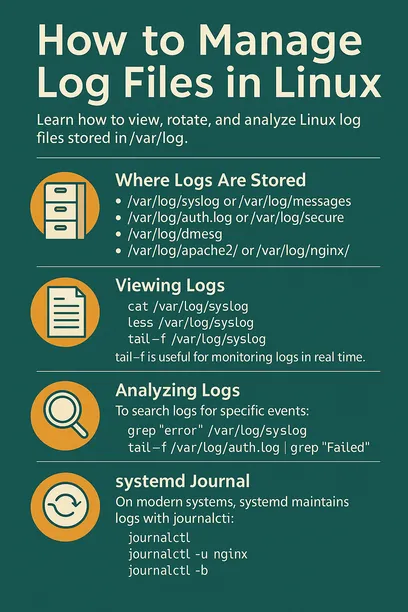
Where Logs Are Stored
Most Linux system logs are located in the /var/log directory. Common log files include:
/var/log/syslogor/var/log/messages– general system logs/var/log/auth.logor/var/log/secure– authentication logs/var/log/dmesg– kernel ring buffer messages/var/log/apache2/or/var/log/nginx/– web server logs
Viewing Logs
Use commands like:
cat /var/log/syslog
less /var/log/syslog
tail -f /var/log/syslog
tail -f is useful for monitoring logs in real time.
Log Rotation
Linux systems use logrotate to manage log file size by rotating, compressing, and removing old logs.
sudo logrotate /etc/logrotate.confConfiguration files for specific applications can be found in /etc/logrotate.d/.
Analyzing Logs
To search logs for specific events:
grep "error" /var/log/syslogFor continuous monitoring of authentication attempts:
tail -f /var/log/auth.log | grep "Failed"systemd Journal
On modern systems, systemd maintains logs with journalctl:
# view all logs
journalctl

# view logs for a service
journalctl -u nginx

# view logs since last boot
journalctl -b
About the Author