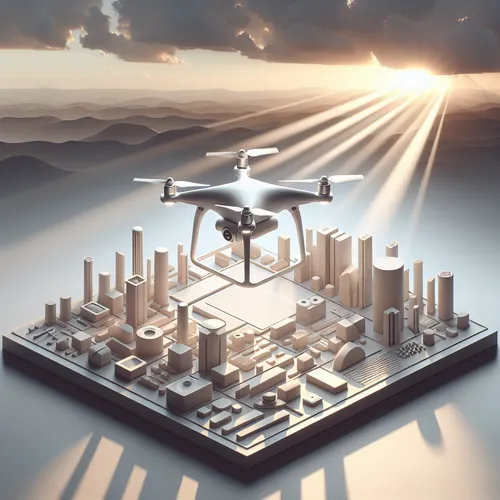
Introducing the DJI Mavic 4 Pro: A New Era in Drone Technology
DJI has officially announced the Mavic 4 Pro, a drone that promises to set new standards with 8K video recording capabilities and what they describe as “infinite range.” These features could transform aerial photography and filmmaking. This tutorial dives deep into these groundbreaking specs, helping drone enthusiasts and professionals understand the new possibilities.
Prerequisites: Who Should Read This?
- Drone pilots interested in the latest DJI drone innovations.
- Content creators seeking ultra-high-definition aerial footage.
- Technology enthusiasts keen on cutting-edge gadgets in 2024.
Exploring the 8K Video Feature
The Mavic 4 Pro takes video quality to an unprecedented level with genuine 8K resolution capture. This means content creators can expect ultra-sharp footage with immense detail, perfect for cinematic productions or professional-grade projects.
- Advantages: Sharper images, better crop flexibility without losing quality, and superb post-production latitude.
- Considerations: Larger video file sizes and the need for robust editing hardware and storage.
Understanding the “Infinite Range” Claim
The infinite range feature is revolutionary. While most consumer drones rely on radio frequency range limits, the Mavic 4 Pro allegedly integrates next-gen transmission technology allowing practically limitless operational range, constrained only by local regulations and battery endurance.
- The transmission technology likely includes advanced OcuSync or evolving communication protocols.
- Long-distance handling capabilities enhance survey missions, outdoor filming, and exploration scenarios.
- Note on legality: Always adhere to your country’s drone flight regulations, which often restrict flying beyond visual line of sight (BVLOS).
Step-by-Step Guide to Leveraging These Features
- Setup and Firmware: Upon purchase, ensure the Mavic 4 Pro firmware is fully updated for optimal performance of 8K recording and communication tech.
- Camera Settings: Navigate to the camera settings in the DJI Fly app to select 8K video resolution. Check card space and battery before recording.
- Maximizing Range: Use the dedicated controller and app features to enable infinite range mode, if required, while monitoring signal quality.
- Safe Flight Practices: Conduct flights in open areas away from obstacles and crowded places to exploit extended range safely.
- Post-Processing: Utilize high-spec computers with capable video editors like Adobe Premiere Pro or DaVinci Resolve to handle 8K footage smoothly.
Troubleshooting Common Issues
- If the 8K video option does not appear, check for software updates and ensure your SD card supports necessary write speeds.
- Signal dropouts at long range could indicate interference or environmental obstacles; reposition or fly lower for better line of sight.
- Ensure batteries are fully charged and in good health to maintain extended flight times.
Summary Checklist
- Update firmware right after unboxing.
- Verify SD card compatibility for 8K recording.
- Adjust camera settings to 8K in the app.
- Enable infinite range mode within controller settings as permitted.
- Comply with local drone regulations for line-of-sight operation.
- Plan flights for open, obstacle-free areas.
- Use appropriate video editing software to process 8K footage smoothly.
For further reading on top drones and professional filming techniques, explore our latest guide on Top 5 Drones for Content Creators in 2025.
Conclusion
The DJI Mavic 4 Pro represents a paradigm shift with its unmatched video resolution and innovative range capabilities. Whether you are a filmmaker, surveyor, or tech enthusiast, these features open doors to creative and practical possibilities. Stay tuned as we update this tutorial with user reviews and advanced tips after the drone hits the market.
About the Author