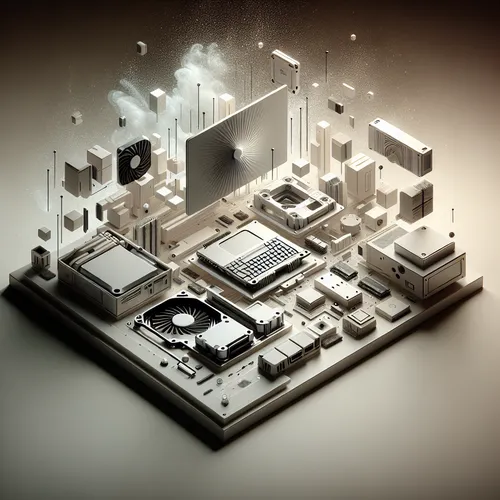
Introduction to Framework Laptop 16
The Framework Laptop 16 marks a revolutionary shift in the gaming laptop market. Unlike traditional models, this laptop emphasizes modularity, repairability, and user customization without sacrificing power and portability. Whether you are a gamer, developer, or tech enthusiast, this tutorial walks you through what makes the Framework Laptop 16 stand out and how you can make the most of its modular design.
Prerequisites
- Basic understanding of laptop hardware components
- Interest in DIY upgrades or repairs
- Knowledge of gaming performance requirements
Unboxing and Overview
The Framework Laptop 16 arrives with a minimalistic package focusing on sustainability. Inside, you will find:
- Modular laptop chassis
- Upgradeable motherboard and CPU options
- Swappable I/O modules for ports
- High-resolution 16-inch display
- User removable battery
Each component is designed for easy removal and replacement, making it ideal for gamers who want to tailor their machines.
Step-by-Step: Assembling and Customizing Your Framework Laptop 16
Step 1: Selecting Your Components
You can choose from various CPUs, GPUs, RAM sizes, storage options, and I/O modules when configuring your Framework Laptop 16. Consider your gaming needs and budget:
- High-end Intel or AMD processors for intensive gaming
- Dedicated graphics modules for 3D rendering and smooth gameplay
- At least 16GB RAM for multitasking and gaming performance
- NVMe SSD for fast load times and large game storage
Step 2: Installing and Upgrading Components
The modular design allows tool-free removal of the bottom panel. Follow these tips:
- Carefully slide out and replace I/O modules such as USB-C, HDMI, or Ethernet ports
- Swap storage and memory modules easily to upgrade capacity or speed
- Upgrade the processor or other hardware parts by detaching and replacing the motherboard units (follow the official Framework guide)
The Framework’s documentation and community offer detailed tutorials on safe upgrades.
Step 3: Software and Driver Setup
After hardware customization, install the latest drivers from the Framework official site (Official site) to ensure full functionality. Use Windows or Linux depending on your preference.
Troubleshooting Common Issues
- Module not detected: Re-seat the module and verify compatibility.
- Performance drops: Check for thermal throttling and update BIOS and drivers.
- Battery issues: Ensure the battery is properly installed and check power settings.
- Display problems: Verify cable connections and update graphics drivers.
Maintenance Tips
Keeping your Framework Laptop 16 in peak condition is simple:
- Regularly clean dust from vents and modules
- Periodically check for firmware and software updates
- Use only recommended compatible parts for replacements
- Leverage the replaceable battery for longevity rather than keeping the laptop plugged in constantly
Summary Checklist
- Choose components based on gaming needs
- Carefully assemble and upgrade modules
- Install up-to-date drivers and operating system
- Address issues promptly with troubleshooting steps
- Maintain regular cleaning and updates
Learn More & Related Reads
For deeper insights into building projects and technology, explore our detailed guides such as Top 10 AI Trends Shaping 2025 to stay updated on cutting-edge tech or our Lenovo ThinkPad X1 Fold Gen 2 Review to compare innovations in laptop design.
Conclusion
The Framework Laptop 16 is a paradigm shift in gaming laptops, promoting an era of repairability and modularity. Its flexibility lets you build, upgrade, and maintain a gaming laptop tailored to your style and needs. Whether you are a professional gamer or a tech hobbyist, this laptop opens new possibilities for customization and sustainability.
Embrace the future of portable gaming with Framework Laptop 16 today!
About the Author